
kali@kali:~$ termux-setup-storage
kali@kali:~$ pkg install wget
kali@kali:~$ wget -O install-nethunter-termux
https://offs.ec/2MceZWr
kali@kali:~$ chmod +x install-nethunter-termux
kali@kali:~$ ./install-nethunter-termux
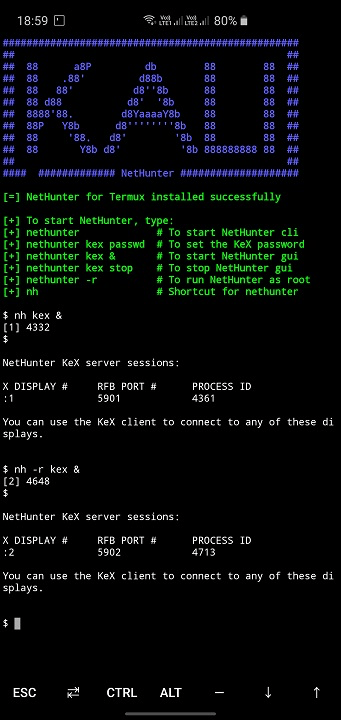
Now after executing these commands run the nethunter using cmd as given belows:
nethunter -to start the nethunter
nethunter kex passwd - setup password
nethunter kex & - it will run the kali desktop environment server
note the port number in the console
Now open vnc viewer connect on the localhost:port is already given tn the console
and then connect to the server using the password
your already set up with nethunter
boom you made it
Now fire up terminal do Hacking ....
For more information go to the official website of kali.org
https://www.kali.org/docs/nethunter/nethunter-rootless/
This post is published for education purpose only
Thank you !!!!